Shake-Down.py: I Ran Every Line Shakespeare Ever Wrote Through a Sentiment Analysis Algorithm
Originally published on huskyhacks.dev.
Prologue
Maybe some of you reading this would be surprised to find out that I used to be a theater nerd. Actually, I still am one. Even if I haven’t been able to do shows in a while, I still appreciate theater as an artistic medium and hope to get back to it someday.
And when I say ‘theater nerd,’ you’re about to find out exactly how much of a nerd.
I recently started a Udemy course titled “Elasticsearch 7 and the Elastic Stack – In Depth & Hands On!” This course teaches all the skills you need to build and use your very own instance of the very popular ELK stack (Elasticsearch – Logstash – Kibana). The course is great! But that’s not what this post is about.
No, this post is about how I got my hands on the Complete Works of William Shakespeare in JSON format and, well, went down a rabbit hole that ended up with me running every line Shakespeare had ever written into a sentiment analysis API and crunching the results into pretty graphs with Kibana.
Draw Thy Tool!
Elasticsearch boils down to a couple essential things: it’s a really easy way to index tons of data, import tons of data from different places, and visualize data with awesome charts and graphs. ELK is popular for a reason; within a little less than an hour, I had a full ELK suite up and running on a fresh installed Ubuntu Server image and was already on my way to discovering the joy of data visualization.
oooooooo.
The demonstration data set for this course happened to be the Complete Works of William Shakespeare, all rolled up into a 25MB file. More accurately, it was the Complete Works of Shakespeare in JavaScript Object Notation (JSON) format. If you’re unfamiliar with JSON like I was, JSON is basically just a way to structure data to make it easy read and understand data from both the human perspective and across lots of different computer applications. In this case, this file had every line that Shakespeare ever wrote in a data set with its play name, speaker, scene number, and act number. So because this data was already clean and organized, loading it into Elasticsearch was a breeze.
After one big bulk upload, all of Shakespeare’s works were searchable. What followed was a parlor trick; I put a story out on Instagram and tagged a few of my old theater colleagues showing that I could quickly index Shakespeare’s works and get the exact act, scene, line number, and speaker of any given line.
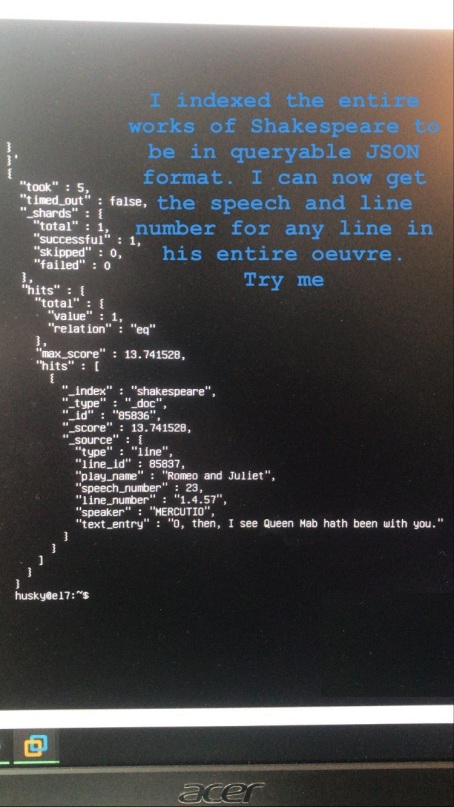
Friday night well spent.
So my friends threw me a few lines to test the rig and I went to work.
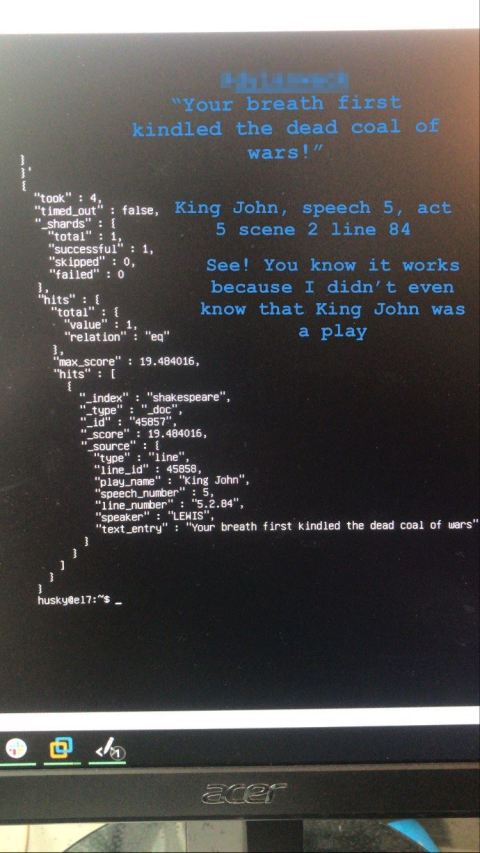
A few rounds of that was fun, but I wasn’t sure where to go from there. That was until I spoke with my brother, who is a data scientist, and he recommended that I run the lines through a sentiment analysis algorithm to analyze the positivity/negativity of the language in Shakespeare’s work. My brother is a genius.
My head started spinning with the possibilities. Even though I hadn’t the slightest idea of how to pull that off, I decided that, in true hacker fashion, I would Google stuff until I figured it out.
And so began the great project, Shake-Down.py. What follows here is my naïve, hacky, workaround-laden attempt at building a solution to mine Shakespeare’s text so we may finally answer that age old question: “who is the biggest jerkbag in Shakespeare’s works?”
Getting Sentimental
So before we go any further, what exactly is a sentiment analysis algorithm?
Simply put, a sentiment analysis algorithm is just a set of rules that can “score” a string of text with a sentiment. Some sentiment analysis algorithms are quite simple and can tell if a string of text is positive, negative, or neutral. Some are more sophisticated and can gauge complex emotions like anger and fear. These can be useful in lots of different contexts, from linguistics to data crunching.
In fact, while I was researching to build this project, I found step by step tutorials on how to build your own sentiment analysis algorithm that pulls real-time data from Twitter and scores each tweet. You don’t need to be very creative to think about how this could be used for both good and evil, but I digress.
Vaulting Ambition O’erleaps Itself
With any great project, it helps to begin with the end in mind. I had already rolled up Shakespeare’s complete works into an index, so the actual data crunching part wasn’t going to be too bad.
My real objectives here would be to do a few things:
- Add two new data fields to the index: “sentiment” and “score,”
- Run each of the lines through an algorithm and get the sentiment of the dialogue,
- Score the sentiment with some kind of scale,
- Append the results back into the index, and then…
- Load that bad boy back into a new index with all the new data and CRUNCH.
So let’s examine each of these in detail.
Adding Data Fields
Really, this part wasn’t too bad. Elasticsearch indices use simple mapping files to crunch data. A mapping is just what it sounds like; it’s a scaffold of the data to live on within the index. The mapping for the Shakespeare JSON file looked like this:
{
"mappings" : {
	"properties" : {
		"speaker" : {"type": "keyword" },
		"play_name" : {"type": "keyword" },
		"line_id" : { "type" : "integer" },
		"speech_number" : { "type" : "integer" }
		}
	}
}
All of the existing data was structured to agree with this mapping schema. So part one was pretty simple: given that I would want quantitative data as well as qualitative data, I added the two fields of “sentiment” and “score.” “Sentiment” would be the result from feeding every line into whichever algorithm I chose and “score” would be a numeric value assigned to the results for quantitative analysis.
So, voila! My new data mapping file:
{
"mappings" : {
	"properties" : {
		"speaker" : {"type": "keyword" },
		"play_name" : {"type": "keyword" },
		"line_id" : { "type" : "integer" },
		"speech_number" : { "type" : "integer" },
		"sentiment" : {"type" : "text"},
		"score" : {"type" : "integer"}
		}
	}
}
Getting the Sentiment
Alright, let’s get our hands dirty. To analyze each line of dialogue, first I need the lines themselves.
This kind of task is usually a breeze in Python, but I ran into some roadblocks getting Python and JSON to play nice together. My JSON file was structured for roll up into an Elasticsearch index and had no problems there, but threw syntax errors when accessed from a Python script using the basic JSON library. For some reason, the files just wouldn’t cooperate.
As this didn’t have to be a dynamic solution and ingest data in real time, I figured it would be much easier to split the JSON data in Excel using a basic delimited data-to-column function. Excel made that part trivial and soon, I had a simple text file with every single line of dialogue printed in order. Nice.
Next up, find some way to analyze each line. After some Googling, I found the perfect solution: DeepAI.org had a web based API that I could send data to with a simple cURL command from a Linux command line. The client uses natural language processing to score inputs as either “Verynegative”, “Negative”, “Neutral”, “Positive”, or “Verypositive.”
I tested it a few times:
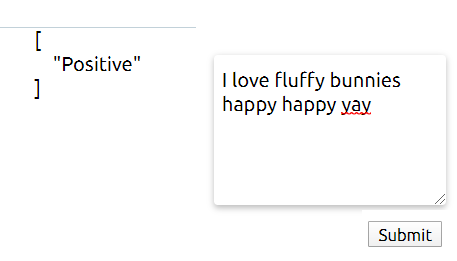
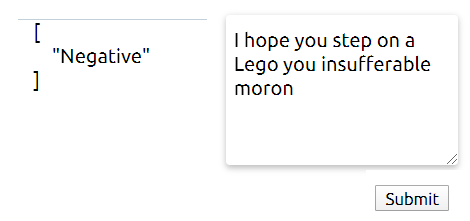
Works great! But how does it fare against Shakespearean English? I was excited to see if this algorithm would be able to parse archaic actor-speak effectively. To test this, I gave it Iago’s “I Hate the Moor” speech which, I think we can all agree, is pretty negative.
The DeepAI Sentiment Analysis page has a wonderful section at the bottom that gives you the exact syntax you need to send data to the API and get a response, so I loaded Iago’s speech into a text file and cURL’ed the page.
I’d say that the algo just about nailed it. I’d expect nothing less from this guy:

He’s just mad about his hairline and taking it out on Othello
So we have all of Shakespeare’s lines and an API to send them to. Now, we need a script to do the heavy lifting for us. And this is where Python takes center stage.
I developed the following script to do two main functions: first, it would read the file with all of the lines and send each of them to the API; second, it would print the result as stdout and append it to a log file. That way, I could let the script run and collect all of the results. This would sort out the first part of the two new data fields: “sentiment.”
Shake-Down.py
#!/usr/bin/python3
import requests
import re
import json
import sys

class Logger(object):
    def __init__(self):
        self.terminal = sys.stdout
        self.log = open("sentiment.log", "a")

    def write(self, message):
        self.terminal.write(message)
        self.log.write(message)

    def flush(self):
        pass

sys.stdout = Logger()

with open('lines.txt', 'r') as f:
	lines = f.read().splitlines()
	for line in lines:
		if len(line.strip()) == 0:
			print("")
		else:
#		print(line)
			r = requests.post(
 				"https://api.deepai.org/api/sentiment-analysis",
    			data={
      				'text': line,
    			},
   				headers={'api-key': 'API KEY GOES HERE'}
			)
			response = r.json()
			json_string = json.dumps(response)
			sentiment = re.findall(r"\[(.*?)\]", json_string)
			result = sentiment

			print(result)
The code is quite simple- it runs a for loop on each line and sends it to the API, then runs a quick regex check to pull the result to a log file. I ran this with a quick proof of concept check by sending the first few lines from Henry IV. It seemed to work fine! Except…
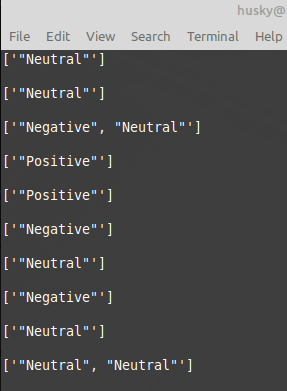
Interesting! I hadn’t considered that the algorithm API was returning results for each individual sentence, not each line.
In Shakespearean prose, lines are written in Iambic Pentameter. This means that each single line is composed of 10 syllables with an alternating emphasis on every other syllable. Like Romeo’s speech:

..with the ‘o’s marking the stressed syllable. But sometimes, multiple sentences fall in with a single line:

So this means the API calls will return multiple results for a line with multiple sentences. It seems pretty obvious, but it was surprising to see.
So in addition to scoring each qualitative sentiment result, I would now also have to find a way to ‘crunch’ results with multiple results. Well, time for another Python script: SentiCrunch.py!
#!/usr/bin/python3
import sys

class Logger(object):
    def __init__(self):
        self.terminal = sys.stdout
        self.log = open("senticrunch.log", "a")

    def write(self, message):
        self.terminal.write(message)
        self.log.write(message)

    def flush(self):
        pass

sys.stdout = Logger()

sentimentVals = {
	"Verynegative":-5,
	"Negative": -2,
	"Neutral": 0,
	"Positive": 2,
	"Verypositive": 5
}

def Average(l):
    avg = sum(l) / len(l)
    return avg

with open('sentiment.log', 'r') as f:
	lines = f.read().splitlines()

	for line in lines:
		if len(line.strip()) == 0:
			print("")
		else:
			valList = []
			for key in sentimentVals:
				if key in line:
					num = sentimentVals[key]
					valList.append(int(num))
			valAvg = Average(valList)
			print(valAvg)
This script has the same logging function as before, but performs a different core function. Given a text file (in this case, it will be the results from Shake-Down.py), it reads every line, compares the result to a dictionary list of values, prints the integer score of the line being assessed, and writes to file. And to solve the problem that multiple sentences == multiple API results, the function takes the average of the scores from each result in a single line. That way, lines with multiple sentences that have multiple sentiments (i.e. “Neutral”,”Neutral,”Positive) would return an average score for calculation.
And with that, we have our second piece of the puzzle: “score.” With these two scripts at the ready, it was time to wind up and let it rip!
I started running the script at 2:15pm on 4/26.
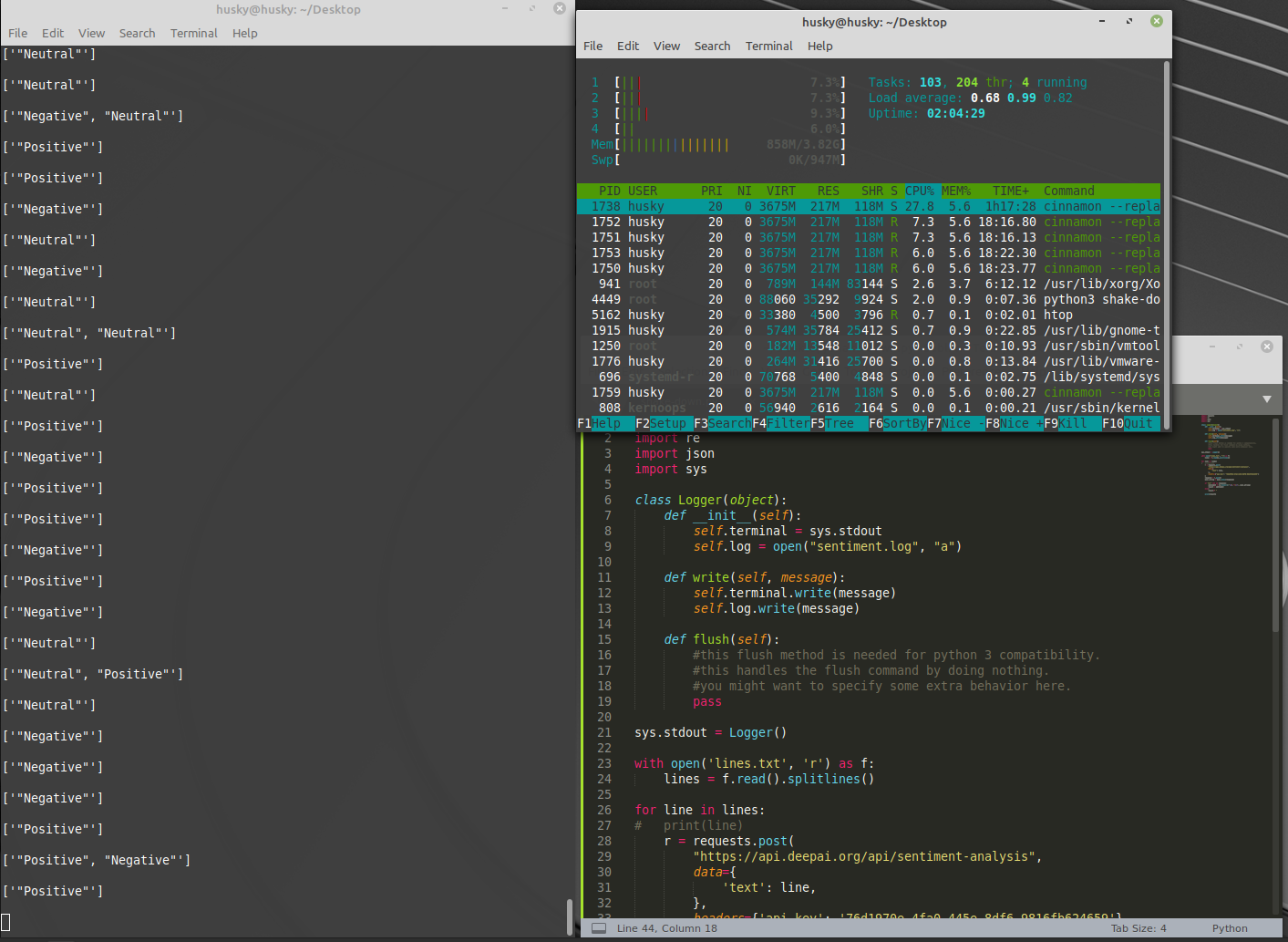
It works! Time to sit back and let the script do the work for me.
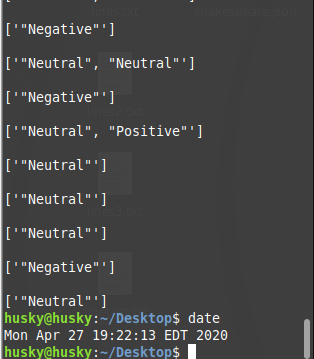
At 6:00pm that same night, I looked at the terminal and found this:
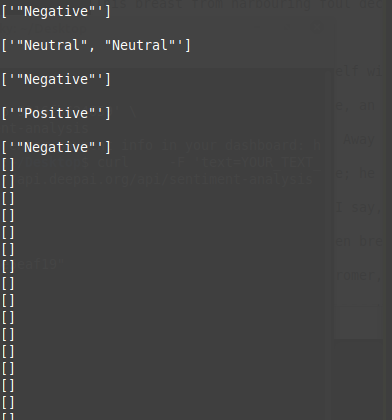
Umm…
Turns out that I had already used up all of the free API calls that DeepAI.org gives you! They give you $5 of calls on the house and then you pay for usage after that; 1000 text API calls for $0.50. Quick math on where I was at that point meant my final bill would be around $50. And I was having so much fun that I decided it would be well worth the cost. So I punched in my credit card and resumed the script!
It ran for 30 hours. At around 7:20pm on 4/27, the script had finished.
I examined the final bill for my usage of the API:
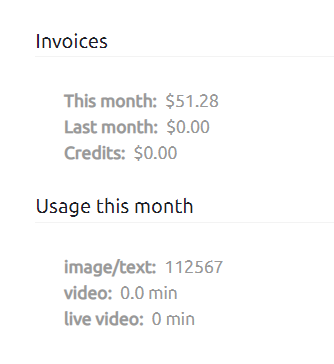
A bargain if there ever was one
My results were nice and organized in the log file of Shake-Down.py, so I sent them right into SentiCrunch.py. I now had both the quantitative sentiment results as well as their qualitative scores, averaged to account for multi-sentence lines. The last thing to do was to tidy both of these up and replace them in the data set.
For the final push here, Excel once again proved to be the best tool for the job. I used a simple concatenate function to append both results to the original JSON data, clean it up, and get it ready for roll up into Elasticsearch.
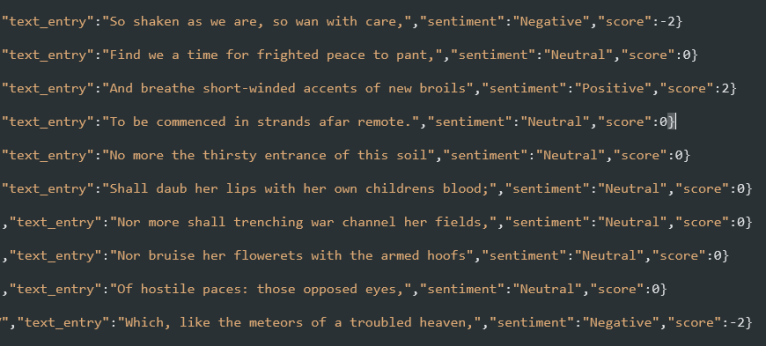
An example from the new JSON file with the new data types included.
Into the Breach!
The moment of truth: time to roll the data up into Elasticsearch. I created a new index called “shakedown” and made the POST request to the Elasticsearch server to send the entire, whopping 25MB of Shakespeare, complete with the sentiment and score of each line, into the breach. The Ubuntu server churned for about 15 minutes, but then returned the message that all data had been uploaded into Elasticsearch without any errors. It worked!
Time to load up Kibana and look at some pretty pictures.
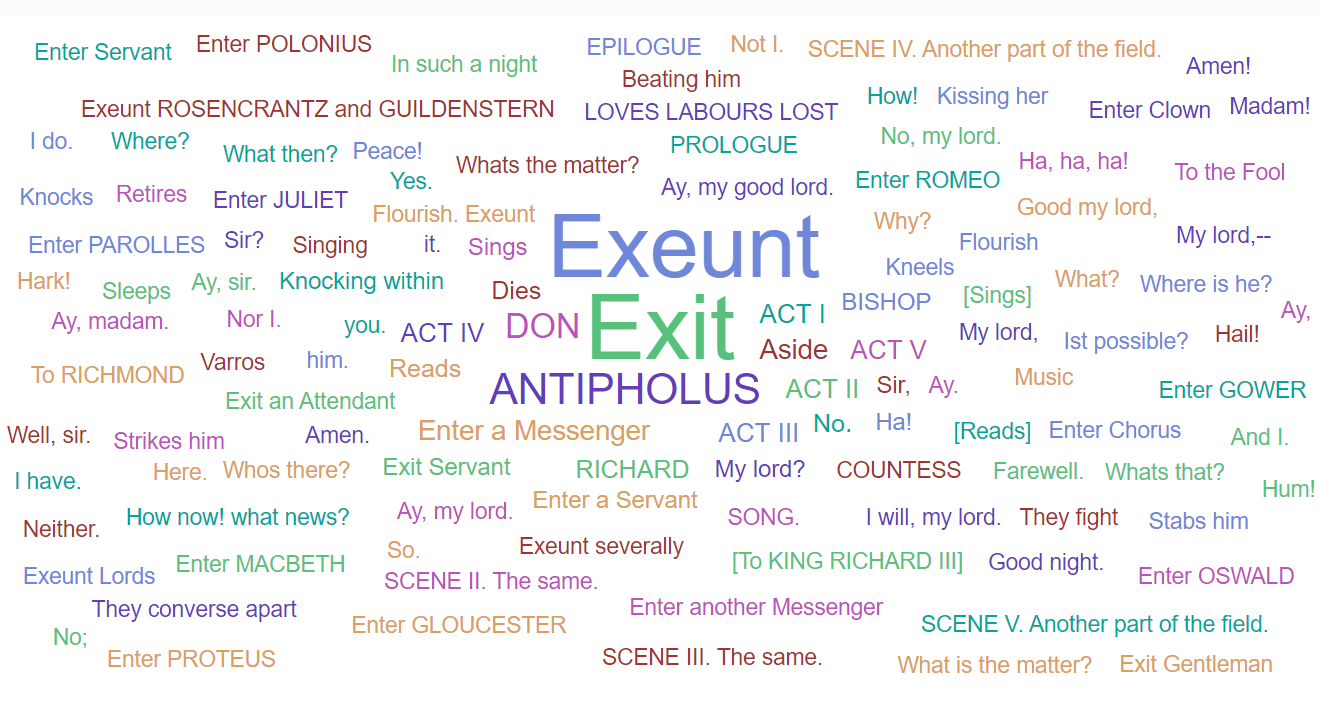
We can start with some basic stuff, like a word cloud of most used terms:
How about a count of lines by character?
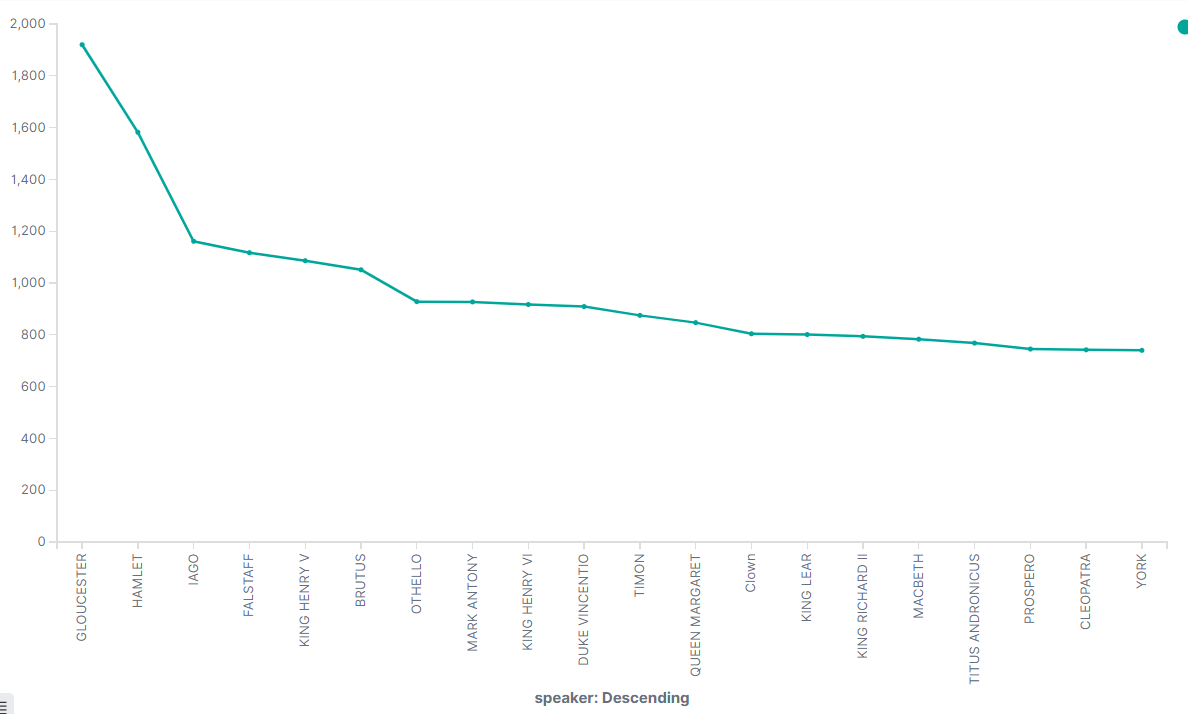
Interesting note about the above graph: although it shows “GLOUCESTER” as the speaker with the most lines, that’s because there are a few characters that are referred to as “GLOUCESTER” in a few different shows. That line count is the total count between all of them. Hamlet clearly has the most lines for a single character.
Alright, so our basic data is good. But let’s look at the data that we added for sentiment. The sum of the scores would give a read on the overall positivity/negativity of each show if we sort by play name. How about showing each play in order from most negative to most positive?
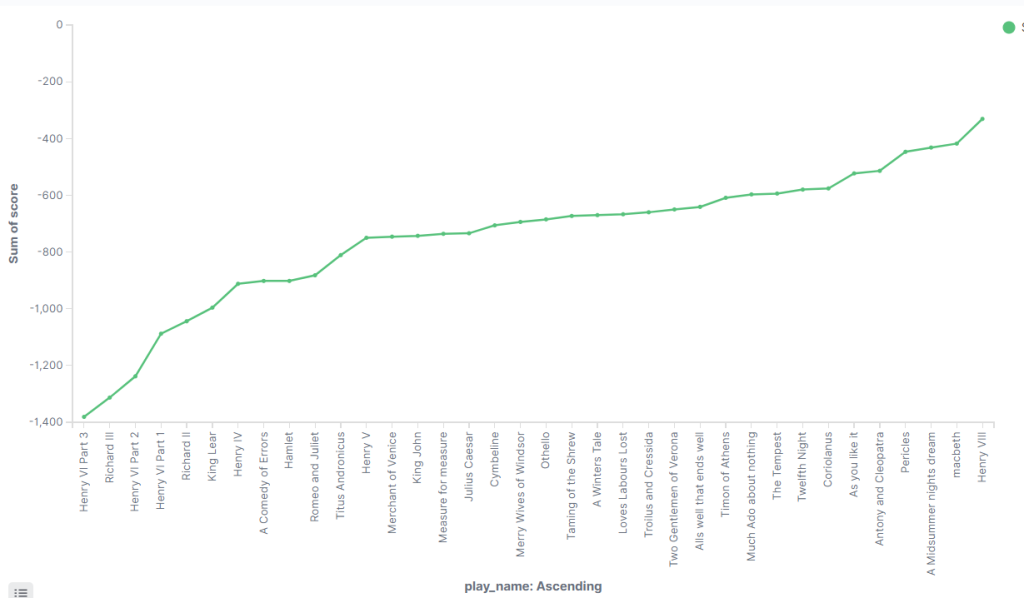
Some of these don’t surprise me. I don’t know a whole lot about Henry VI Part 3 (call me uncultured if you wish), but I do know a lot about Richard III and that play is a blood bath. It’s also interesting to think about how many of these are Comedies and how many are Tragedies. A Comedy of Errors, for example, is generally considered to be a lighthearted show, but its short runtime might mean that it’s more affected by the negative content in each line and thus scores lower on the Positivity continuum.
Could we examine the sentiment of a given scene? With a little digging, yes. I found that Hamlet’s famous “To be or not to be” speech exists between lines 34,230 and 34,262 in the data set.
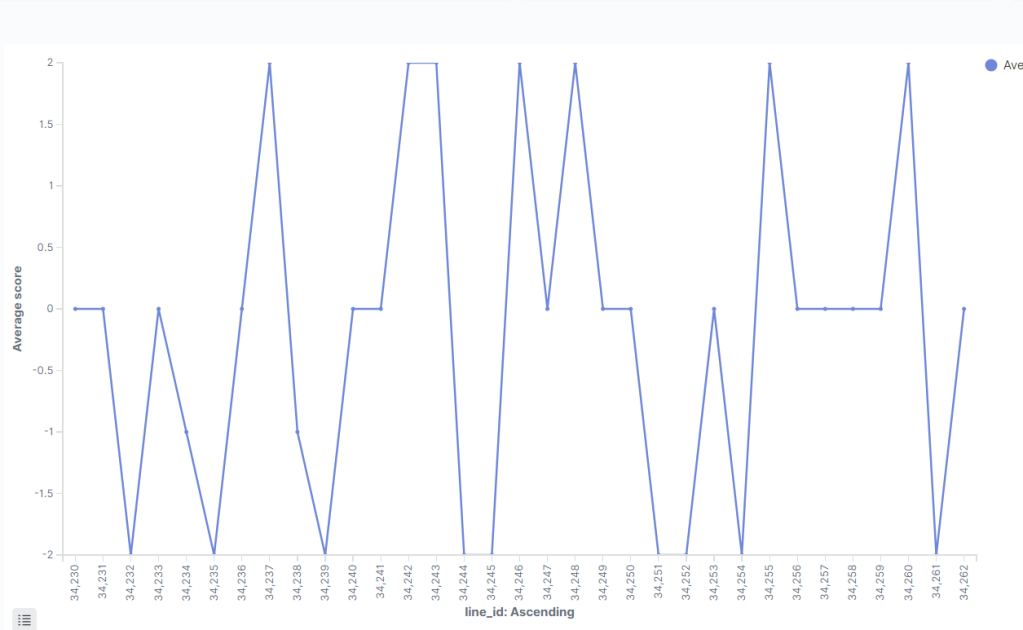
2BOrNah
This shows Hamlet’s change between positive and negative lines during his famous soliloquy. He’s considering options: is death better than a torturous life, or is the terror we don’t know worse than the horror that we do? Let’s compare this to Macbeth’s “Out, brief candle!” speech, which occurs at the height of Macbeth’s despondency when he learns that his wife is dead.
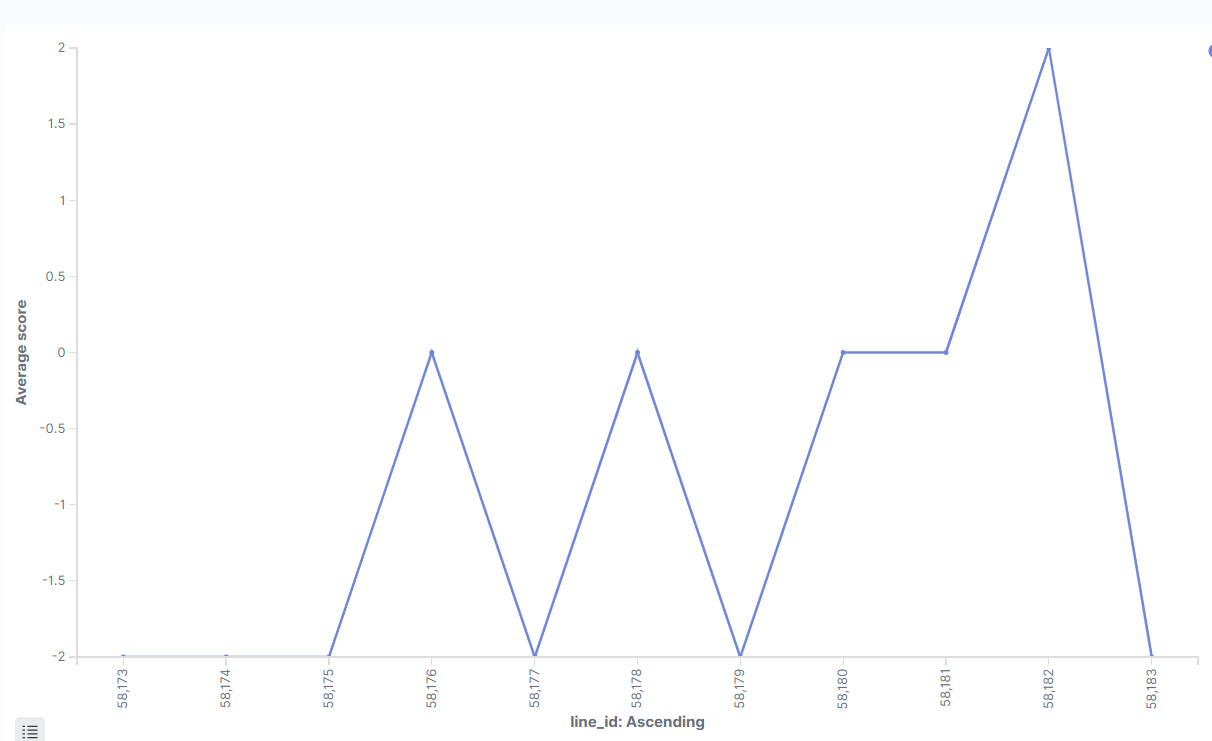
What a downer.
Hamlet’s speech seems downright hopeful compared to Macbeth’s. The speech starts at -2, indicating negativity, and barely moves from there.
So, who is the biggest jerkbag in Shakespeare’s works?
And finally, to answer our initial question:
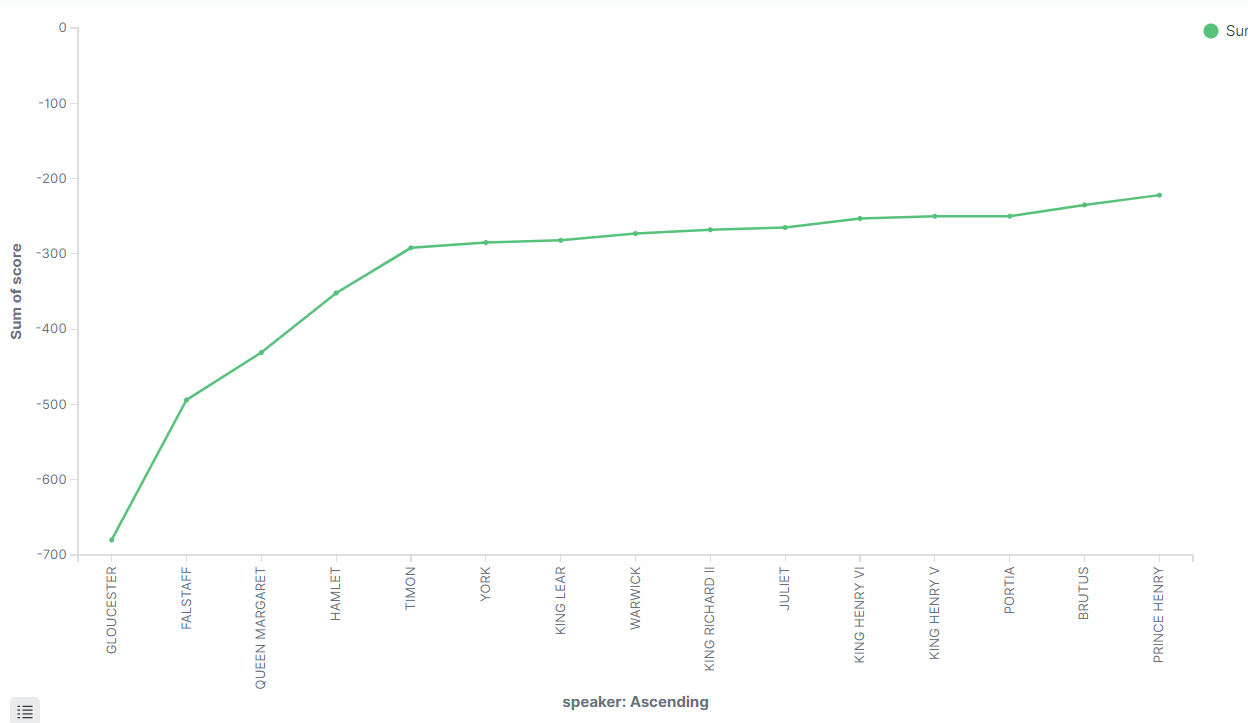
If we account for that “Gloucester” outlier as noted before, it looks like Falstaff, Queen Margaret, and Hamlet are close in the running for 1st, 2nd, and 3rd. Their sum scores fall between -500 and -400, indicating significant negativity, although it’s worth mentioning that these characters do have more lines than most other characters. The rest of the entries make sense for the most part, although I am surprised to see Juliet in there.
Conversely, who is the most positive character in Shakespeare’s works? Just set the graph to examine the other end:
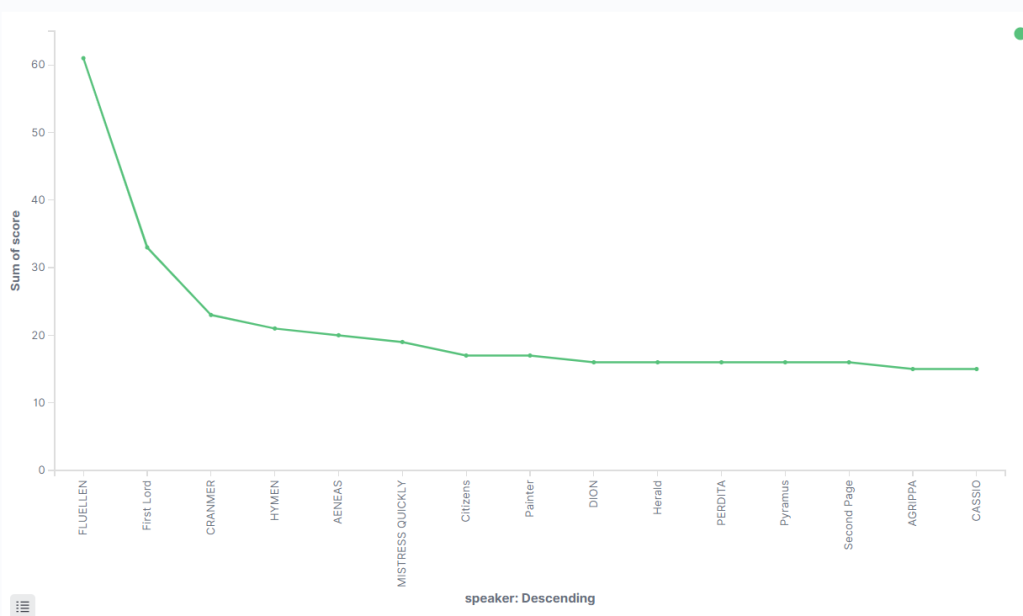
My man Fluellen takes a landslide lead in positivity. Fluellen has a respectable 280 lines and provides a great deal of comic relief during Henry V.
Epilogue
Man, I had fun with this one.
Going back through the steps of the project, I’ve caught a few areas where I could have made improvements and optimizations. I could have integrated the Python scripts together to have a single script that could do both functions. I could have figured out how to parse the original JSON file without needing to manually input the data into Excel. I definitely could have written and revised the code to be more elegant.
What this represents, however, is my programmatically naïve attempt to build a solution to get a result in the first place.
I don’t think this is the be-all-end-all linguistic data crunch of Shakespeare’s works. Truly, his prose is more complicated and nuanced than any algorithm may ever be able to fully comprehend (although wouldn’t that be something!). And people who, you know, actually know what they’re doing when it comes to data science and linguistics have me beat every which way on this subject. But like I said, this was a fantastic way to combine two of my passions for a fun project.
While writing this article, I found examples of other Sentiment Analysis projects for Shakespeare’s works that utilize R and R’s sentiment libraries. I think these posts are fantastic, so I’ll link them below. Perhaps this will compel me to learn R and revisit this project some day in the future.
Thank you for reading, as always! If you like the article (and made it this far), please consider sharing and commenting. Also, subscribe if you want to see more of my content. But for now, thank you and I will see you next time!
Cited Works:
- Shakespeare Gets Sentimental
- Fair is foul, and foul is fair: a tidytext sentiment analysis of Shakespeare’s tragedies